Host from your PC
Create a campaign, press Play and give your players the address. They see only what you let them see: hidden tokens, GM notes and secret doors never reach them.
 Maelstrom VTT
Free · Windows and Linux · Alpha
A free virtual tabletop. The GM runs Maelstrom on their own PC and hosts the table. Players join from Chrome and install nothing.
Latest release on GitHub
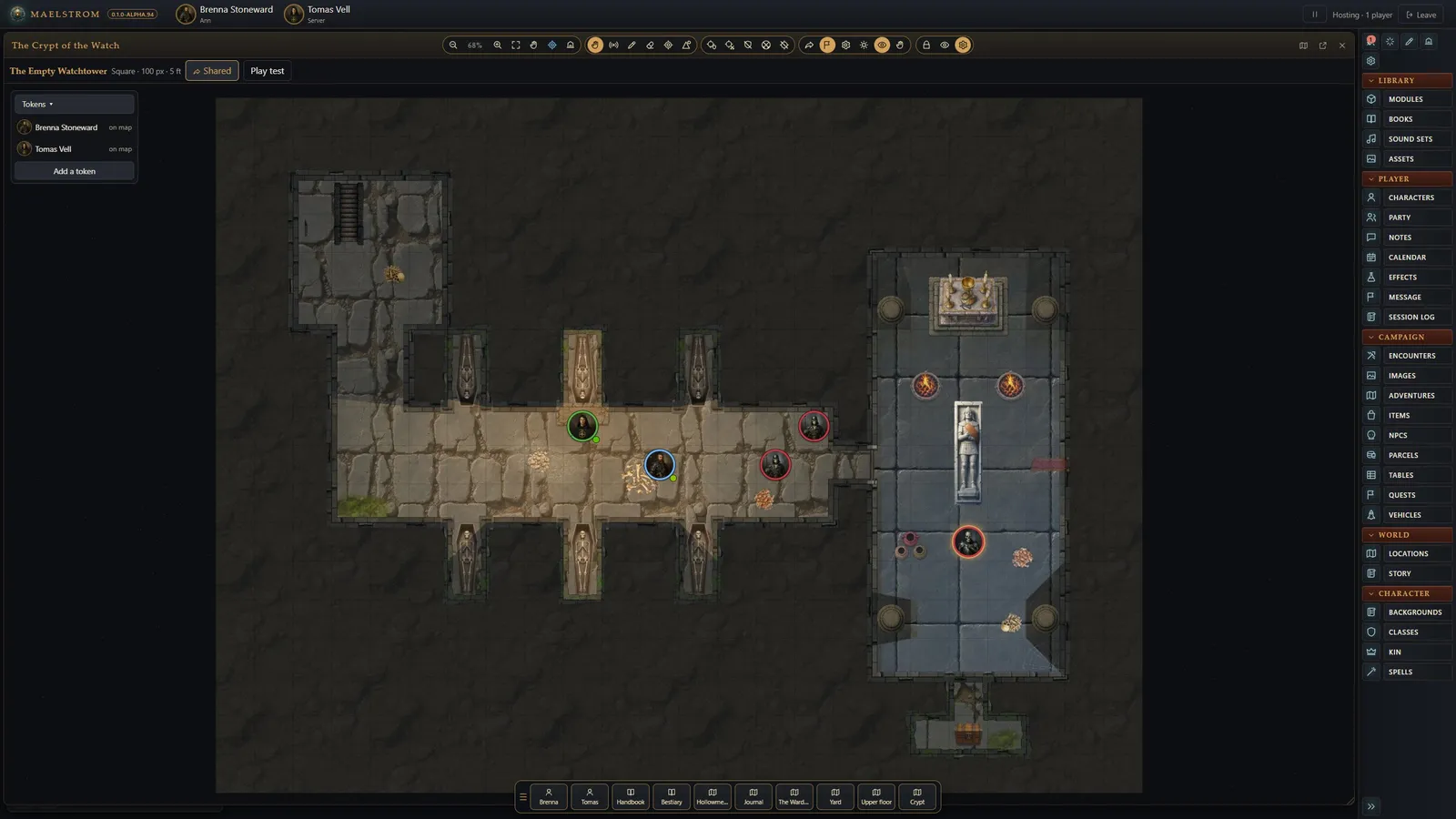
Create a campaign, press Play and give your players the address. They see only what you let them see: hidden tokens, GM notes and secret doors never reach them.
Each with its rules, a character wizard, its sheet, its books and a first adventure with maps. Nothing else to buy or install.
Square and hex grids, walls and doors, line of sight and fog, lights and darkness, weather, drawing, and animated tokens.
A built-in map maker: paint from art packs, draw walls and doors with art, add lights, weather, traps and regions, then play-test.
Character sheets and wizards, a combat tracker that rolls and applies attacks, damage and saves, effects, treasure parcels and 3D dice.
Own Fantasy Grounds modules? Maelstrom reads them in place: books, story, encounters, NPCs, items, and maps with their walls and lights.
One-shots, chat-triggered effects, ambience and music, each with its own volume for every player.
Every GM action is also a tool for an AI agent, so an assistant can build characters, run combat or set up a map.
With your own books it also plays Castles & Crusades, D&D 3.5E, AD&D 2E, Traveller and a rules-free Worldbuilding mode for any system.
Free to use. Maelstrom updates itself from its start screen.
The Windows installer isn't code-signed yet: if SmartScreen stops it, choose More info, then Run anyway.
Questions, help, screenshots, and GMs and players looking for each other. Anyone can post a game on the server's calendar.